
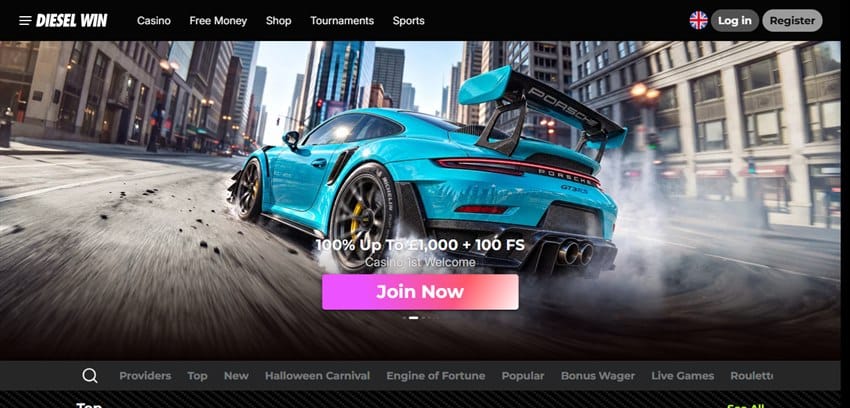
Dieselwin Login
Log in to Dieselwin
Sign in to your Dieselwin account with your e-mail or username and password; contact support by live chat or e-mail if you need help accessing your account.
Welcome bonus
How to Log In
Open your account
Select Log in and enter the e-mail address or username and password linked to your Dieselwin account.
Reset your password
If you have forgotten your password, select the password reset option and follow the instructions on screen.
Verify your sign-in
On a new device, sign in with your account details and complete any extra verification if two-step verification is enabled.
Get help with access
If access is locked after failed attempts, while verification is pending or during self-exclusion, contact support by live chat or email.
Dieselwin Login Help
Use the Log in button to access your Dieselwin account with the e-mail address or username registered to it and your password. If the details are accepted, the account opens; if they are not, check the spelling and try again before starting a password reset. Keep your sign-in details consistent with the account information you used when registering.
Sign in to your account
Open Dieselwin and select Log in. Enter the e-mail address or username associated with your account, then type your password in the password field and submit the form. Use the same credentials you normally use for the account, and check for accidental spaces or typing errors if the sign-in does not go through.
If you have more than one e-mail address, use the one linked to Dieselwin rather than an address you use for another service. A username works as an alternative where the form allows it. If you are unsure which identifier belongs to the account, avoid trying a long series of guesses: repeated unsuccessful attempts can lead to temporary access restrictions.
Reset a forgotten password
Select the password-recovery option on the sign-in screen if you cannot remember your password. Enter the e-mail address connected to the account and follow the reset instructions sent to that inbox. Check the spam or junk folder if the message does not appear, and make sure the address was entered correctly.
Use the reset link or instructions promptly, then create a replacement password and return to the login form. If the recovery message does not arrive or the link does not work, contact Dieselwin support through live chat or email. Support can help with account access after checking the details needed to identify the account.
A reset changes the password used for future sign-ins; it does not change the e-mail address attached to the account. If you can still access the account and need to change that address, ask support how to update the account record. If you cannot sign in because the old address is no longer available, explain that when contacting support so they can direct you through the appropriate account checks.
| Access situation | What to do |
|---|---|
| Forgotten password | Use the password-recovery option and follow the instructions sent to the account e-mail. |
| Sign-in rejected | Recheck the e-mail or username and password for typing errors before trying again. |
| Account remains inaccessible | Contact support through live chat or email for help identifying the account. |
New devices and extra checks
When you sign in from a new device, enter the account credentials in the usual way. The casino may ask you to complete an additional check to confirm that the sign-in is yours. Follow any on-screen instructions and use the e-mail address or other contact method already linked to your account.
Two-step verification applies only if it is enabled for your account. If prompted for a second verification step, complete it using the method shown on screen. If the verification step fails or you no longer have access to the method connected to the account, contact support rather than repeatedly submitting codes or trying unrelated details.
A request to verify your identity can also relate to account checks beyond signing in. Dieselwin requires full verification when a withdrawal is requested, including photo ID, a selfie, and proof of address. That withdrawal requirement is separate from entering your password to log in, though an account check may affect access while verification is pending.
Why access may be restricted
Several issues can prevent a sign-in. Incorrect credentials or repeated failed attempts may trigger a temporary lock to protect the account. A verification review that is still pending can also affect access, and a self-exclusion setting can prevent you from using the account while it is active.
If you see a lock or restriction message, stop retrying and read the instructions shown with it. For a possible password error, use the reset process; for an identity check, follow the verification request. If the reason is unclear, contact support and describe the message you see. Do not create another account to get around a restriction.
- Check that the e-mail address or username matches the one registered to your Dieselwin account.
- Look for typing errors, including accidental spaces, before submitting the password.
- Use password recovery if you no longer remember the password.
- Complete an additional identity check when prompted during a sign-in.
- Contact support if the account is locked or the reason for a restriction is unclear.
Sign in on a phone
Dieselwin works in a mobile web browser, so you can open the casino on your phone and use the same account credentials as on a computer. Select Log in, enter your e-mail address or username and password, and submit the form. The sign-in process does not require a separate account for mobile access.
If the login form is difficult to use on a smaller screen, check that each field contains the complete detail before submitting. A password manager may fill a saved password, but confirm it belongs to the Dieselwin account and that the e-mail or username is correct. If access still fails, use the recovery steps or contact support rather than setting up a duplicate account.
| Access detail | What to know |
|---|---|
| Support channels | Live chat and email |
| Mobile access | Compatible with mobile browsers |
| App availability | No mobile app |
Login FAQs
Sign in with the e-mail address or username and password linked to your account. These answers cover password recovery, account access issues and mobile sign-in.
How do I sign in to my Dieselwin account?
Use the Log in button and enter the e-mail address or username and password linked to your Dieselwin account. This is the dieselwin casino sign in process on the website. If the details are not accepted, check for typing errors before trying again.
How can I reset a forgotten password?
Select the forgotten-password option on the sign-in screen and follow the prompts to reset your password. Use the e-mail address linked to your account so you can complete the reset process. If you cannot access that inbox or the reset does not work, contact support by live chat or e-mail.
Why might my account be locked?
A sign-in problem may result from repeated failed attempts, verification still being pending, or self-exclusion on the account. Check that you are using the correct e-mail address or username and password. If you still cannot access the account, contact support through live chat or e-mail for help.
Can I log in on my mobile phone?
You can sign in to Dieselwin in a mobile web browser because the casino is mobile-compatible. There is no mobile app, so use the website rather than looking for an app to install. Enter your account e-mail or username and password through the Log in option.
How do I change the e-mail address on my account?
Contact Dieselwin support to request a change to the e-mail address on your account. Live chat and e-mail are the available support channels for account access questions. Be ready to provide the details needed to identify your account, and follow any verification steps support gives you.
How can I contact support about a login problem?
Contact support by live chat or e-mail if you cannot complete sign-in or a password reset. Include whether you are using your e-mail address or username and describe the issue you see. Support can help you with account access and advise you on any next steps.
Trending






Log in to Dieselwin
Welcome bonus
Lucky spin
Spin once for a tip from the lobby: an offer to claim or a game to try today.
- Allways Egypt Fortune
- Allways Lucky Pot
- Beersburg Fest Hold And Win
- Buffalo’s Wealth Hold And Win
- Cash'n Fruits Hold and Win
- Cash'n Fruits 100 Hold And Win
- Cash'n Fruits 256 Hold And Win
- Cash'n Fruits 27 Hold And Win