
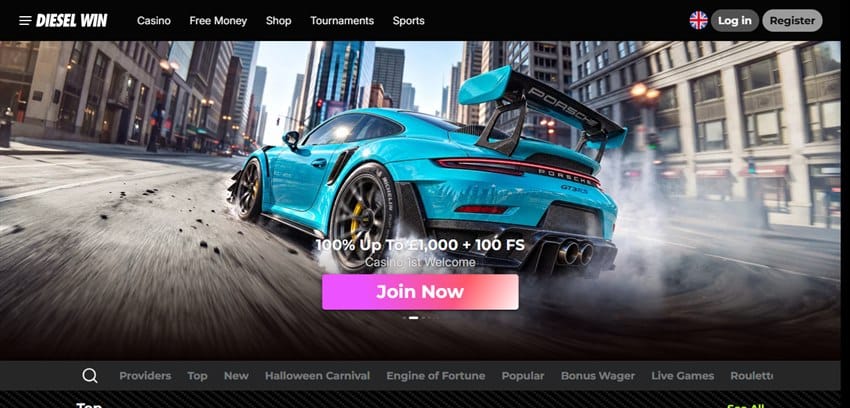
Dieselwin Login
Log in to Dieselwin
Sign in with your email address or username and password; use the password-reset link if you’ve forgotten your details.
460% up to $30,000 + 460 Free Spins
How to Log In
Open the login form
Open Dieselwin in your browser, select Log in, then enter the e-mail address or username and password linked to your account.
Reset your password
If you have forgotten your password, select the password reset option on the login form and follow the instructions sent to your e-mail.
Complete any extra checks
On a new device, complete any extra verification prompt; two-step verification applies if enabled on your account.
Get help with a locked account
Failed login attempts, pending verification or self-exclusion can lock access; contact support through live chat or e-mail for help. Online casino games cannot be offered to players in Australia under the Interactive Gambling Act 2001, and ACMA blocks offshore casino sites; players themselves are not fined.
Dieselwin Login
To use the Dieselwin login, select the Log in button and enter the e-mail address or username linked to the account, followed by the password. Check the details before submitting them. Dieselwin does not accept players from Australia; under the Interactive Gambling Act 2001, offshore operators may not offer online casino games to people in Australia. Players themselves are not fined.
Sign in to your account
Open the casino website and choose Log in to bring up the sign-in form. Enter the e-mail address or username registered to the account and its password, then submit the form. If the details are accepted, the account opens; if not, check for typing errors and make sure the right sign-in details are being used.
A saved password can be out of date if it was changed on another device or after a reset. Use the current password rather than an older one, and avoid repeated guesses if the form rejects it. Too many unsuccessful attempts can result in an account lock, so use the recovery option instead of continuing to try possible passwords.
Reset a forgotten password
Select the forgotten-password option on the sign-in form and enter the e-mail address linked to the account. Follow the instructions sent to that address to choose a replacement password. Use the address connected to the account, rather than a different inbox, so the recovery request can be matched to the correct profile.
If the reset message does not arrive, check the junk or spam folder and confirm the address was entered correctly. Allow time for the message to arrive before starting another request. If access to the account e-mail has been lost, contact support through live chat or email and explain that the password reset cannot be completed.
Access on a new device
The casino works in a mobile web browser, and no mobile app is available. On a new phone, tablet or computer, open the casino website and sign in with the same e-mail address or username and password. The account is not tied to one device, but a new sign-in may prompt additional checks if they apply to the account.
Two-step verification may appear if it has been enabled. Follow the extra prompt and enter the requested code to finish signing in. If the code does not work, check that it is current and that it was entered correctly. For a persistent access problem, contact support rather than repeatedly submitting codes.
| Access situation | What to do |
|---|---|
| Regular sign-in | Enter the account e-mail or username and password. |
| Forgotten password | Use the recovery option on the sign-in form and follow the e-mail instructions. |
| New device or extra check | Sign in through the browser and complete any verification prompt shown. |
Locked accounts and verification
An account may be locked after failed sign-in attempts. Verification that is still pending can also affect account access, as can self-exclusion. If the form says the account is locked, stop trying passwords and contact support through live chat or email. Explain what happened and provide the account e-mail or username so the team can identify the issue.
Dieselwin requires full verification when a withdrawal of any amount is requested. The required checks are a photo ID, a selfie and proof of address. If a verification request is affecting access, ask support what step remains outstanding and follow the instructions given for the account. Do not send identity documents through an unrelated channel.
- Use the e-mail address or username registered to the account.
- Enter the current password, not a previous one.
- Use password recovery rather than making repeated guesses.
- Complete any additional verification prompt shown at sign-in.
- Contact live chat or email if the account is locked or recovery cannot be completed.
Login help and common questions
Can I reset a forgotten Dieselwin password? Yes. Choose the forgotten-password option on the sign-in form, enter the account e-mail address and follow the instructions sent there. Check the spam folder if the message is not visible. If you cannot access that inbox, contact live chat or email for help with recovery.
What should I do if my account is locked? Stop attempting to sign in and contact support through live chat or email. Failed attempts can trigger a lock, while verification still in progress or self-exclusion may also affect access. Explain the message you see and follow the account-specific steps support provides.
Can I sign in to Dieselwin on my mobile? The casino is compatible with mobile browsers, so open its website on your phone and use the regular sign-in form. There is no mobile app. If the browser displays an error or the form does not load, contact support and describe the issue.
How do I change the e-mail address on my account? Contact support through live chat or email and ask for help updating the address. The team may need to verify that you control the account before making a change. Keep access to the current address until support confirms the update and explains how to use the new one.
Why is a new device asking for another check? An extra prompt may appear when signing in on a new device, or when two-step verification is enabled. Complete the prompt shown on screen. If you cannot receive or enter the requested code, contact support instead of making repeated attempts that could lead to a lock.
Can I use the casino from Australia? No. Dieselwin does not accept players from Australia. Under the Interactive Gambling Act 2001, offshore casino operators may not offer online casino games to people in Australia, and ACMA blocks offshore casino sites. Players themselves are not fined.
| Access detail | What to do |
|---|---|
| Australia | Dieselwin is not licensed in Australia and does not accept players from Australia. |
| Mobile access | The casino is compatible with mobile browsers; there is no mobile app. |
| Support | Live chat and email |
| Withdrawal verification | Full verification is required when any withdrawal is requested: photo ID, selfie and proof of address. |
Dieselwin Login FAQs
Sign in with your account details, or use password recovery if you cannot remember your password. These answers cover mobile access, account locks and support for login problems.
How do I sign in to my Dieselwin account?
Use the Log in button and enter the e-mail address or username and password linked to your account. For a Dieselwin casino sign in, check that the details are entered correctly before trying again. If you cannot remember your password, use the password recovery option to request a reset.
How can I reset a forgotten Dieselwin password?
Select the password recovery option on the login screen and follow the instructions to reset your password. Use the e-mail address linked to your account so the reset instructions can reach you. Once the password has been changed, return to the login screen and sign in with your account details.
Why might my account be locked?
An account may be locked after repeated failed login attempts, while verification is pending or during self-exclusion. If you cannot sign in, contact Dieselwin support through live chat or email and explain what happens when you try. Support can help identify the next step for your account.
Can I log in to Dieselwin on my mobile?
You can access Dieselwin through a mobile web browser; the casino is mobile-compatible and has no mobile app. Open the site in your browser and use the Log in button with your account details. You do not need to download an app to sign in on a phone.
What happens when I log in from a new device?
A login from a new device may prompt an additional security check, and two-step verification applies if enabled on your account. Follow any on-screen instructions before continuing. If you cannot complete the check or regain access, contact support through live chat or email for help.
How can I contact support if I cannot log in?
Dieselwin offers support through live chat and email for account access issues. Include a clear description of the sign-in problem so the support team can direct you to the appropriate account recovery steps. Dieselwin is not licensed in Australia; under the Interactive Gambling Act 2001, online casino games cannot be offered to players in Australia, and ACMA blocks offshore casino sites.
Trending






Log in to your Dieselwin account
460% up to $30,000 + 460 Free Spins
Lucky spin
Spin once for a tip from the lobby: an offer to claim or a game to try today.
- Allways Egypt Fortune
- Allways Lucky Pot
- Beersburg Fest Hold And Win
- Buffalo’s Wealth Hold And Win
- Cash'n Fruits Hold and Win
- Cash'n Fruits 100 Hold And Win
- Cash'n Fruits 256 Hold And Win
- Cash'n Fruits 27 Hold And Win